SitecoreAI - Netlify Multisite On-Demand ISR
Summary
Next.js lets us leverage Static Site Generation (SSG) to create static HTML files at build time, rather than on each request. This can help page performance and also protect against any rate limiting from Sitecore's Experience Edge.
A common scenario is to generate a given page at build time and then set an Incremental Static Regeneration (ISR) time of two hours, for example, to get the data again and re-generate the page. Then the data is statically served and updated every two hours, assuming users are constantly visiting that page.
What happens if you have sensitive data that gets published and you want to see those changes immediately? We need to revalidate the page programmatically and bypass the two-hour ISR time.
The Solution
To accomplish this we need to make an API route in our application:
api/admin/revalidate
and leverage code to revalidate on demand. Per Next.js official documentation (opens in a new tab):
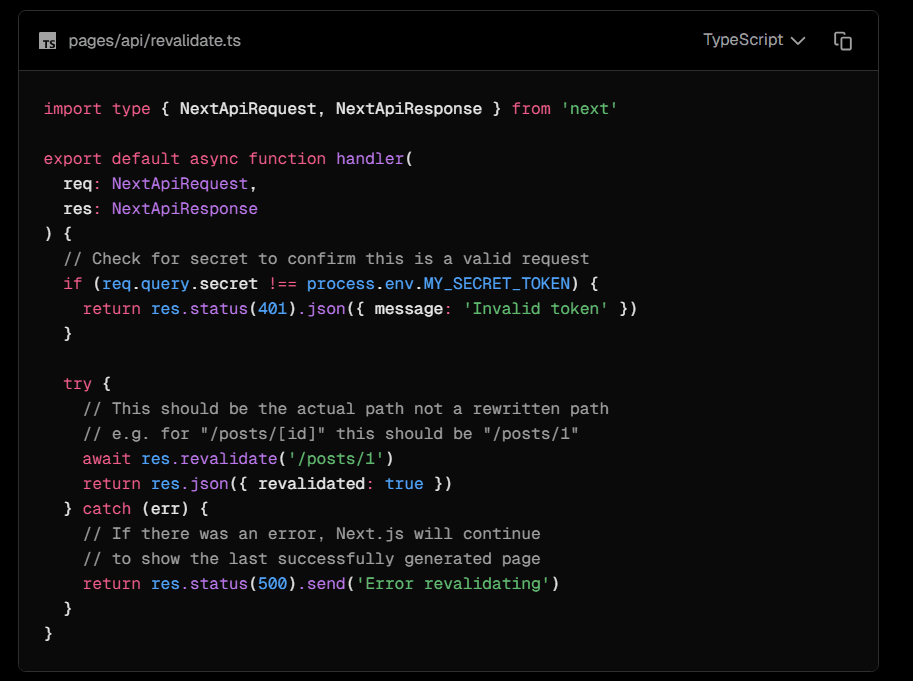
You pass a relative path to revalidate that page. For example, if we had a page www.website.com/about, we would pass about as the relative path to the revalidate call.
However, it wasn't working.
After some investigation, we realized that since we were using SitecoreAI's multisite middleware, the path we passed was no longer accurate. We needed to append the site name to our path. So, instead of passing about, we needed to pass /_site_{name}/about.
After rewriting our API route to handle this scenario it worked properly.
The final API route:
import type { NextApiRequest, NextApiResponse } from 'next';

export interface RevalidateRequest {
  url?: string;
  secret?: string;
  siteName?: string;
}

async function handler(req: NextApiRequest, res: NextApiResponse) {
  if (req.method !== 'POST') {
    console.warn('[revalidate] Rejected non-POST request', { method: req.method });
    res.status(405).end();
    return;
  }

  const { url, secret, siteName } = (req.body || {}) as RevalidateRequest;
  console.log('[revalidate] Request received', {
    url: url ?? '(empty)',
    siteName: siteName ?? '(empty)',
    hasSecret: Boolean(secret),
  });

  if (secret !== process.env.REVALIDATE_SECRET) {
    console.warn('[revalidate] Unauthorized: secret mismatch');
    res.status(401).json({ revalidated: false });
    return;
  }

  if (!siteName) {
    console.warn('[revalidate] Missing site name');
    res.status(400).json({ revalidated: false, error: 'siteName is required' });
    return;
  }

  let revalidated = false;
  const pathToClear = url ? (url.startsWith('/') ? url : `/${url}`) : '/';
  // Sitecore's MultisiteMiddleware rewrites /path to /_site_{name}/path before Next.js processes
  // it. Next.js stores ISR cache entries under the rewritten path, so res.revalidate() must use
  // the internal path to find the correct cache entry.
  const internalPath = `/_site_${siteName}${pathToClear === '/' ? '' : pathToClear}`;

  try {
    console.log('[revalidate] Calling res.revalidate', { internalPath });
    await res.revalidate(internalPath);
    console.log('[revalidate] res.revalidate success', { internalPath });
    revalidated = true;
  } catch (err) {
    console.error('[revalidate] Revalidate error', { internalPath, error: err });
  }

  res.status(200).json({ revalidated });
}

export default handler;
In your solution you could make a Sitecore PowerShell script to call this API manually or you could make a Sitecore Webhook on publish_end to do this API call programmatically.
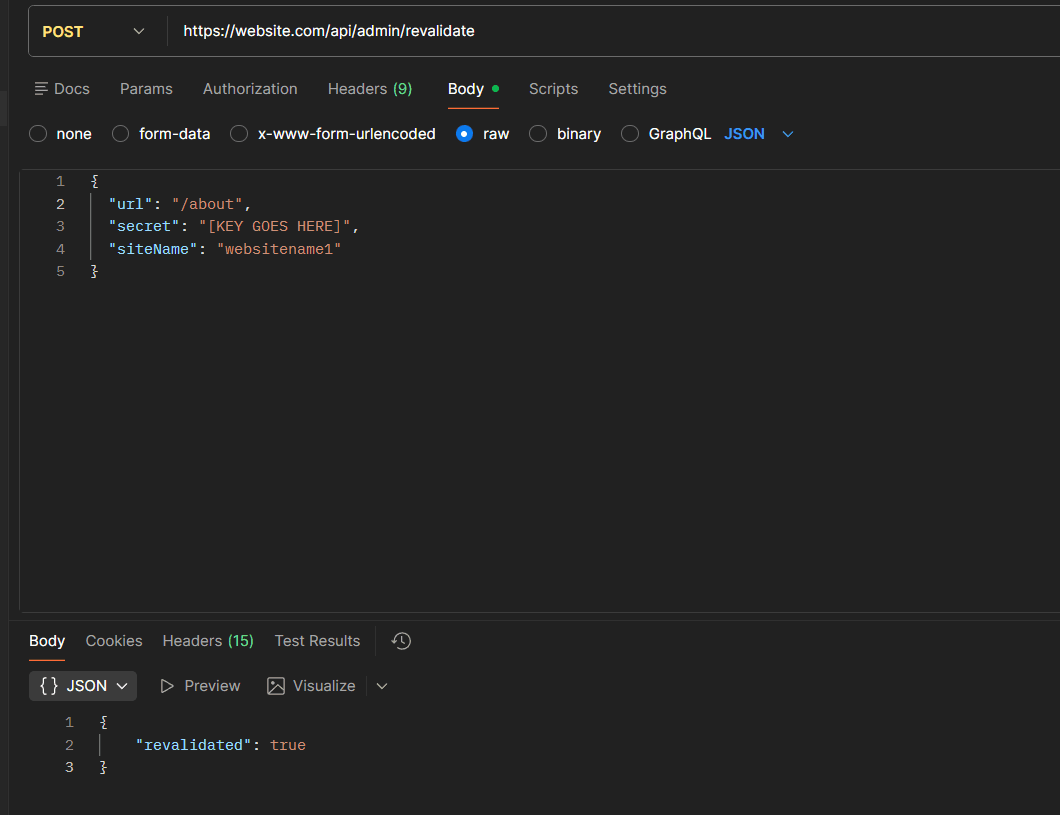
Using Postman, for example, we can see the API above called and working properly:
Conclusion
SitecoreAI and Netlify can leverage out-of-the-box Next.js functionality to handle ISR revalidation logic. The key to getting things working is just making sure the details are set up correctly. Once the path name was recreated properly everything was working as expected. Content authors can revalidate pages on demand when needed for important content updates.